- Home Page /
- Electronics /
- Television & Video /
- Television Accessories /
- Remote Controls /
- Universal Remote for Samsung Blu-Ray DVD Play...
0 ratings


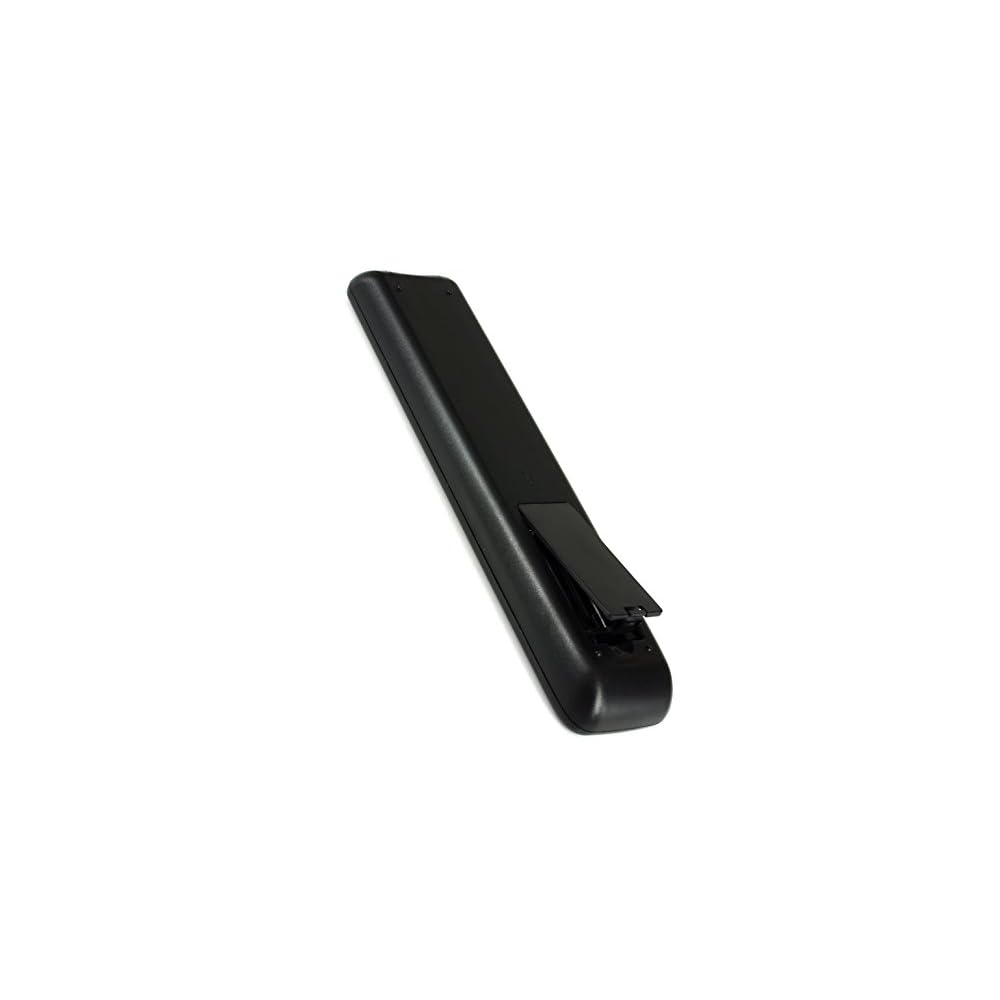


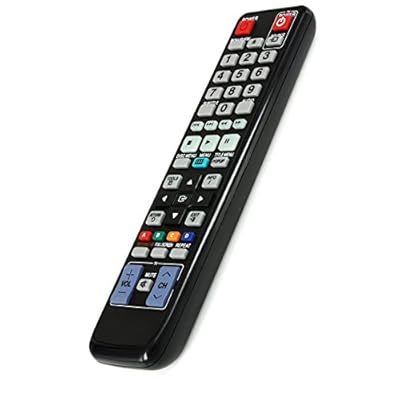
Item #:
31693150
Universal Remote for Samsung Blu-Ray DVD Player BD-C5500 BD-C6500 BDC6500 BD-C6900 BDC6900 BD-C7500 BDC7500 BD-C5900 BD-C5900/XAA BD-C7900 BD-C6800
Item #:
31693150
OMR 8
Price Details
Excluding Shipping & Custom charges ( Shipping and custom charges will be calculated on checkout )
*All items will import from US
0 ratings
Write a review
In stock
 Imported from USA store
QTY:
Order now and get it around Wednesday, June 24
Secured transaction
Ubuy works hard to protect your security and privacy. Our advanced payment security system ensures confidentiality by encrypting your information during transmission using AES (Advanced Encryption Standards) and SSL (Secure Socket Layer) protocols. Your payment details are 100% secure as we do not share your payment details with third party sellers.
Our Top Logistics Partners


Universal remote fits for Samsung Blu-Ray DVD players

Fast
Shipping

Free
Return*

Secure Packaging

100% Original Products

PCI DSS Compliance

ISO 27001 Certified


Note: Step Down Voltage Transformer required for using electronics products of US store (110-120). Recommended power converters Buy Now.


What Stands Out
Wide Compatibility
This universal remote seamlessly controls multiple Samsung Blu-Ray DVD players, ensuring easy access and convenience across various models without the hassle of multiple remotes.
User-Friendly Design
Designed with intuitive buttons and layouts, this remote simplifies navigation, making it user-friendly for all ages, thus enhancing your home entertainment experience effortlessly.
Enhanced Functionality
Equip your entertainment station with advanced features like quick access and programmable buttons, allowing for personalized settings that cater to your viewing preferences and needs.
Product Details
- This is an universal remote - not original
- fits for Samsung Blu-Ray DVD Player (BDC5500)BD-C5500, (BDC6500)BD-C6500, (BDC6900)BD-C6900, (BDC7500)BD-C7500, (BDC5900)BD-C5900, BD-C5900/XAA,BD-C7900, (BDC6800)BD-C6800
- Package:1 Remote Control (Batteries not included)
- Battery Required : 2 AAA
| Is Discontinued By Manufacturer | No |
| Package Dimensions | 9.53 x 4.92 x 1.1 inches (24.2 x 12.5 x 2.8 cm); 0.01 ounces (0.28 grams) |
| Item model number | LYSB01GA05QBG-ELECTRNCS |
| UPC | 688907123611 |
| Manufacturer | Gorilla babo |
| Additional Features | Universal |
| Maximum Number of Supported Devices | 1 |
| Compatible Devices | DVD/Blu-ray Player |
| Connectivity Technology | Infrared |
| Controller Type | Button Control |
| Maximum Range | 10 Meters |
| Battery Type | AAA |
| Brand | Gorilla babo |
| Model Name | LYSB01GA05QBG-ELECTRNCS |
| Model Number | LYSB01GA05QBG-ELECTRNCS |
| Mfr Part Number | LYSB01GA05QBG-ELECTRNCS |
| Color | Black |
| Item Weight | 0.01 Ounces (0.28 grams) |
Who Should Buy?

-
Samsung Blu-Ray Users
Ideal for users with Samsung Blu-Ray DVD players needing a simple, universal remote for controlling their devices.
-
Tech-Savvy Individuals
Great for users who enjoy consolidating multiple remotes into one for streamlined control of various devices.
-
Budget-Conscious Shoppers
Perfect for users looking for a cost-effective remote solution without sacrificing functionality or performance.

-
Non-Samsung Devices
Users with devices from other brands may find this remote incompatible with their Blu-Ray or DVD players.
-
Complex Setup Users
Those who prefer advanced features or smart technology integration might find this remote too basic for their needs.
-
Frequent Remote Movers
Individuals who regularly change setups may not benefit from a universal remote due to limited adaptability features.
Product Description
About This Item
Upgrade your Samsung Blu-Ray DVD player experience with the Universal Remote for Samsung Blu-Ray DVD Player. Compatible with models BD-C5500, BD-C6500, BD-C6900, BD-C7500, BD-C5900, BD-C5900XAA, BD-C7900, and BD-C6800, this remote is the perfect replacement for lost or damaged remotes. Featuring a sleek design and easy-to-use buttons, this universal remote allows you to control all the functions of your Samsung Blu-Ray DVD player, including power, play/pause, stop, fast forward, rewind, and more. No more fumbling around with multiple remotes when you can have all the control in one device. In addition, this remote is also compatible with other Samsung DVD players, making it a versatile and convenient accessory for your home entertainment setup.
Whether you're watching your favorite movies, TV shows, or streaming content, this universal remote will enhance your viewing experience. With its durable construction and long-lasting battery life, this universal remote is built to withstand daily use and provide reliable performance. Say goodbye to constantly replacing batteries or dealing with unreliable remotes. Don't let a lost or damaged remote hold you back from enjoying your Samsung Blu-Ray DVD player to the fullest. Upgrade to the Universal Remote for Samsung Blu-Ray DVD Player and take full control of your entertainment experience.
Shop now and enjoy seamless and convenient operation with just a click of a button.
Have any Query? Chat with us
Customer Questions & Answers
-
Question:
What is a universal remote for Samsung Blu-Ray DVD players?
Answer: A universal remote for Samsung Blu-Ray DVD players is a versatile device that allows you to control multiple electronic devices using a single remote. This is particularly useful for users with various devices, like the Samsung BD-C5500, BD-C6500, and others. Instead of juggling multiple remotes, a universal remote simplifies your entertainment experience by integrating control for your Blu-Ray player, television, and other compatible devices into one unit. -
Question:
Will this universal remote work with my Samsung BD-C5900?
Answer: Yes, the universal remote is designed to be compatible with the Samsung BD-C5900 along with other models like BD-C6800 and BD-C6900. These remotes typically support a broad range of devices, ensuring seamless integration. To ensure full functionality, you may need to program the remote with specific codes for your Blu-Ray player, making your viewing experience streamlined. -
Question:
Can I control my TV with this universal remote?
Answer: Absolutely! Most universal remotes designed for Samsung Blu-Ray players, such as the ones compatible with the BD-C7500, allow you to control your television as well. This multi-device functionality enables you to adjust volume, change channels, and navigate through menu settings all from one remote, eliminating the need for multiple devices and enhancing your entertainment convenience. -
Question:
How does the programming of the universal remote work?
Answer: Programming a universal remote usually involves entering specific codes corresponding to your devices. For instance, to set up your universal remote for the Samsung BD-C5900XAA, you will typically look up the code in the user manual or online database, and then input it using the remote's setup feature. Once programmed correctly, it will allow you to operate your Blu-Ray player smoothly alongside other electronics. -
Question:
What features should I look for in a universal remote?
Answer: When selecting a universal remote for your Samsung Blu-Ray player, consider features like compatibility with multiple devices, backlit buttons for ease in low-light conditions, dedicated buttons for DVD functions, and ergonomic design. Advanced models may also include programmable macros, where you can create specific sequences of commands for added convenience, making it easy to transition from watching a movie to listening to music. -
Question:
Can I replace my lost or broken Samsung DVD player remote?
Answer: Yes, a universal remote is an ideal replacement for a lost or broken Samsung DVD player remote. This alternative allows you to regain control over your device functionality without needing an exact model replacement. As long as the universal remote supports the specific Samsung models like BD-C7900 or BD-C6500, you can easily restore operational capabilities for your Blu-Ray player. -
Question:
Is there a specific universal remote recommended for Samsung Blu-Ray players?
Answer: While there are many universal remotes on the market, look for ones explicitly labeled compatible with Samsung Blu-Ray players. Often, remotes from brands like Logitech or RCA are praised for their compatibility and functionality with models like BD-C6800 and BD-C6900. These remotes are designed with user-friendly interfaces, making navigation between devices smoother. -
Question:
Where can I buy a universal remote for Samsung Blu-Ray DVD players?
Answer: You can purchase a universal remote for Samsung Blu-Ray DVD players at Ubuy in Oman. Ubuy provides a wide range of universal remotes, ensuring you find one that is compatible with your specific Samsung model. By shopping at Ubuy, you benefit from a secure transaction process and access to various options tailored for your entertainment setup. -
Question:
How can I ensure my universal remote is compatible with my devices?
Answer: To ensure compatibility, always check the specifications listed on the universal remote's packaging or product page, focusing on supported device brands and models. For Samsung Blu-Ray players like the BD-C5500 or BD-C6900, look for remotes that explicitly mention support for these models. User reviews and Q&A sections online can also provide insights into compatibility experiences from other customers. -
Question:
What should I do if my universal remote is not functioning correctly?
Answer: If your universal remote isn't functioning correctly, first check the batteries to ensure they are seated properly and have enough power. If the issue persists, attempt reprogramming the remote using the setup codes for your specific device model, such as the Samsung BD-C5900. Consulting the user manual or online troubleshooting guides can provide tips and solutions to address most common issues.
Gorillababo Remote Controls LYSB01GA05QBG-ELECTRNCS Editorial Review
This replacement remote control for Samsung Blu-ray players seems to work well overall, though some customers note that it may not work universally, so it's important to double-check your particular DVD player model against the list provided. The remote is pre-set and therefore doesn't come with a user manual, but most customers found it easy to set up and use. Some customers experienced difficulty with certain features, such as the "wide screen" function, but for the most part, customers were satisfied with this purchase and found the remote to be a good value for the price.
Customer Reviews & Ratings
182 customers ratings
-
5 Star
73%
-
4 Star
13%
-
3 Star
5%
-
2 Star
3%
-
1 Star
6%
Review this product
Share your thoughts with other customers
Pros
- Great replacement for OE equipment
- Works well with Samsung Blu-ray player
- Easy to set up and use
- Good value for the price
Cons
- May not work universally
Product Price History
Important information
- Limitations : For products shipped internationally, please note that any manufacturer warranty may not be valid; manufacturer service options may not be available; product manuals, instructions, and safety warnings may not be in destination country languages; the products (and accompanying materials) may not be designed in accordance with destination country standards, specifications, and labeling requirements; and the products may not conform to destination country voltage and other electrical standards (requiring use of an adapter or converter if appropriate). The recipient is responsible for assuring that the product can be lawfully imported to the destination country. When ordering from Ubuy or its affiliates, the recipient is the importer of record and must comply with all laws and regulations of the destination country.
- Not all the products listed on Ubuy are for sale, as Ubuy is a global search engine. Products are subject to export/trade regulations.
OMR 8
Order now and get it around Wednesday, June 24
This item is not restrict in my country.(Please click on above link if this item is not restrict in your country, So our team will review and allow.)
QTY:
Secured transaction
Ubuy works hard to protect your security and privacy. Our advanced payment security system ensures confidentiality by encrypting your information during transmission using AES (Advanced Encryption Standards) and SSL (Secure Socket Layer) protocols. Your payment details are 100% secure as we do not share your payment details with third party sellers.
Our Top Logistics Partners
Fastest cross-border delivery
Features & Benefits
- Universal remote for Samsung Blu-Ray DVD players
- Compatible with various models including BDC5500, BD-C6500 and BD-C6900
- Battery required: 2 AAA
- Package includes 1 remote control (batteries not included)