- Home Page /
- Office Supplies /
- Labels & Label Makers /
- Label Makers /
- DYMODesktop Label Maker | LabelManager 210D All-Purpose...
0 ratings

Item #:
12654571
DYMODesktop Label Maker | LabelManager 210D All-Purpose Portable Label Maker, Easy-to-Use, One-Touch Smart Keys, QWERTY Keyboard, Large Display, For
Item #:
12654571
OMR 46
Price Details
Excluding Shipping & Custom charges ( Shipping and custom charges will be calculated on checkout )
*All items will import from US
0 ratings
Write a review
In stock
 Imported from USA store
QTY:
Only 1 item left in stock.
Order now and get it around Sunday, August 30
Secured transaction
Ubuy works hard to protect your security and privacy. Our advanced payment security system ensures confidentiality by encrypting your information during transmission using AES (Advanced Encryption Standards) and SSL (Secure Socket Layer) protocols. Your payment details are 100% secure as we do not share your payment details with third party sellers.
Our Top Logistics Partners


Print professional quality labels with ease using the LabelManager 210D’s customizable features!

Fast
Shipping

Free
Return*

Secure Packaging

100% Original Products

PCI DSS Compliance

ISO 27001 Certified



Note: Step Down Voltage Transformer required for using electronics products of US store (110-120). Recommended power converters Buy Now.


What Stands Out
Portable Design
Compact and lightweight, the DYMO LabelManager 210D is perfect for on-the-go label-making, making it suitable for both home and office use.
Versatile Labeling
Offers a variety of label styles, sizes, and colors to accommodate different labeling needs, ideal for organizing files, equipment, and home organizing.
Easy-to-Use Interface
Features a straightforward keypad and large display for quick access to symbols and fonts, simplifying the label creation process for users of all skill levels.
Product Details
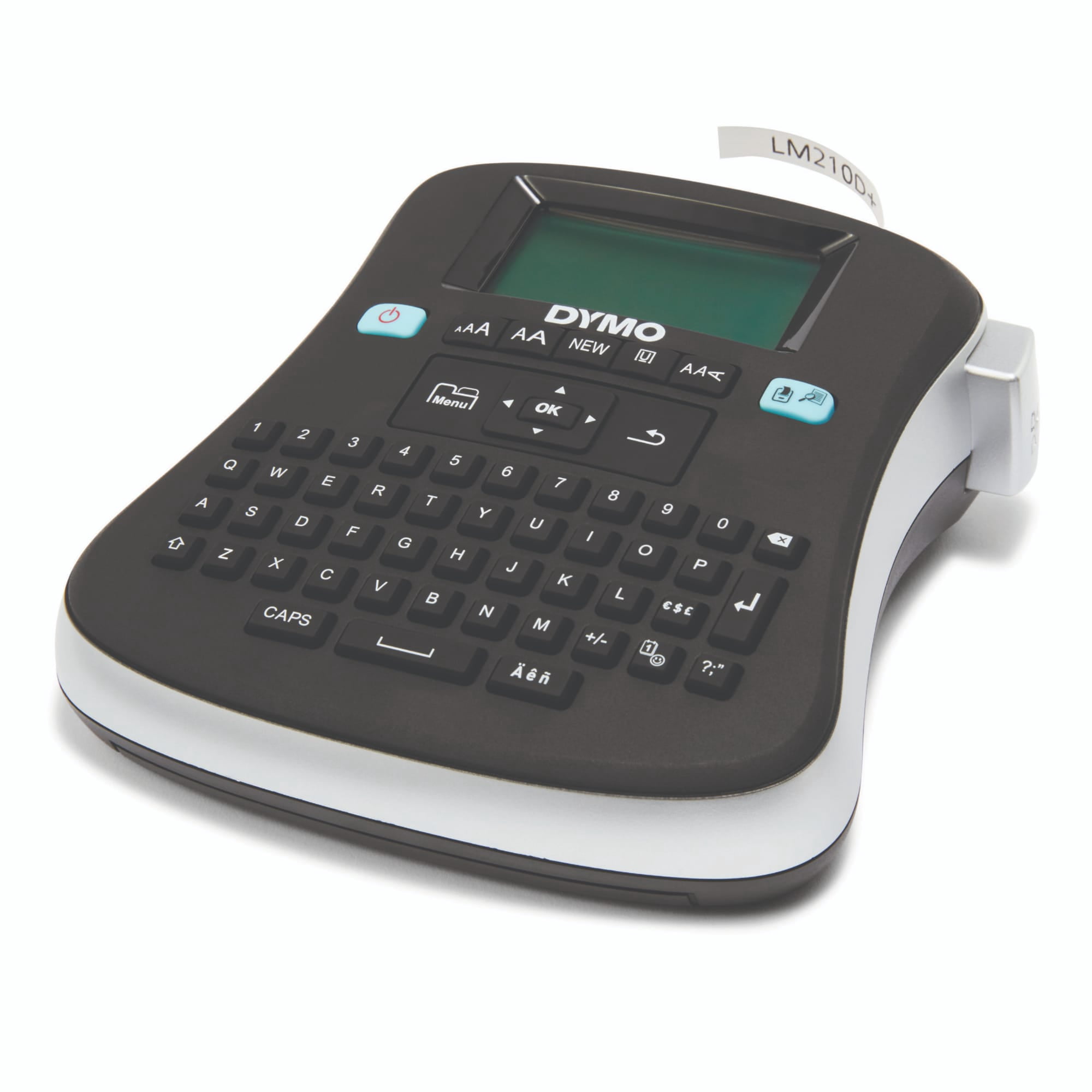
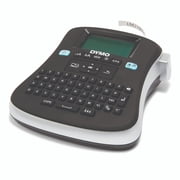
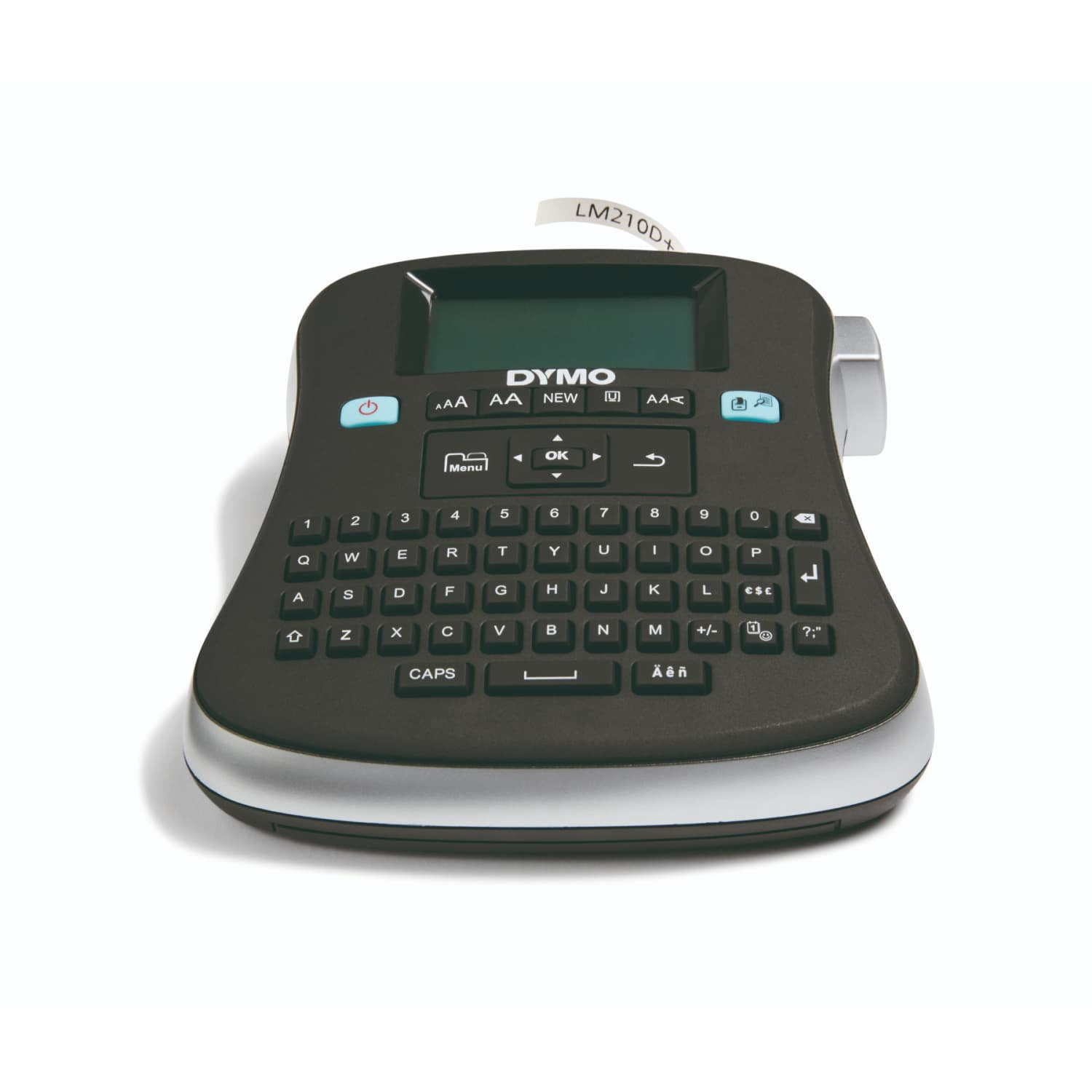
- With a large screen, quick-access buttons and simple navigation, the LabelManager 210D Desktop Label Maker is versatile and easy to use. 20+ ways to format text and 200+ symbols and clip art images to create custom labels suited for almost any home or office labeling job. This label maker lets you print up to ten copies of the same label and prevent repeated work with a nine-label memory and “save text” feature. Labeling is made easy from start to print with the LabelManager 210D.
| Label maker type | Thermal Transfer Label Makers |
| Prints barcodes | N |
| Maximum label width | 0.5 in (1.3 cm) |
| Maximum print resolution | 180.00 dpi |
| Label maker features | Digital Display, Multiple Text Styles |
| Compatible tape width | 12 mm |
| Compatible tape type | DYMO D1 tapes |
| Power type | Battery |
| Mono color | Monochrome |
| Items included | one 1/2" black-on-white starter label cassette |
| Brand | DYMO |
| Battery size | AA |
| Maximum label length | 0.25 in (0.6 cm) |
| Color | Black |
| Height | 2.5 in (6.4 cm) |
| Weight | 0.94 lb (430 grams) |
| Number of fonts | 1 |
| Label count memory | 9 |
| Model name | Labelmanager 210d |
| Is smart | N |
| Electronics certifications | UL-Listed |
| Count per pack | 1 |
Who Should Buy?

-
Home Organizers
Perfect for individuals looking to label items around the house for better organization and accessibility.
-
Office Use
Ideal for professionals needing to create labels for files, folders, and equipment to maintain an organized workspace.
-
Craft Enthusiasts
Great for crafters who need versatile labeling for projects, scrapbooks, and personalizing supplies.

-
Heavy-Duty Use
Not suitable for industrial applications or users requiring a robust label maker for extensive labeling tasks.
Product Description
About This Item
Introducing the DYMO LabelManager Desktop Label Maker, the perfect tool for your e-commerce business. Streamline your labeling process and create professional-looking labels effortlessly. With the DYMO LabelManager, you can easily organize and manage your inventory, shipping, and product labels. Its user-friendly interface allows you to customize your labels with various fonts, styles, and graphics.
Whether you need address labels, shipping labels, or return labels, the DYMO LabelManager has got you covered. One of the standout features of the DYMO LabelManager is its compatibility with a wide range of labels. You can choose from a variety of label refills, label rolls, and label tapes, ensuring that you find the perfect fit for your labeling needs. Additionally, the labels are waterproof and thermal, making them durable and resistant to fading. Setting up the DYMO LabelManager is a breeze.
Simply connect it to your computer via USB and install the software. You'll be up and running in no time. And if you ever run into any issues, the DYMO LabelManager comes with comprehensive troubleshooting guides and excellent customer support. The benefits of the DYMO LabelManager extend beyond just labeling.
With its integrated barcode labels, you can efficiently track your inventory and manage your stock levels. This is especially crucial for small e-commerce businesses looking to improve their inventory management and streamline their operations. Join the many satisfied customers who have given the DYMO LabelManager rave reviews. Its easy-to-use interface and superior label quality make it the top choice for e-commerce professionals.
Upgrade your labeling game today and experience the difference the DYMO LabelManager can make for your business. Don't miss out on our special prices for the DYMO LabelManager. Shop now and enjoy a discount on this must-have tool for e-commerce success. Trust in the DYMO LabelManager and take your labeling to new heights.
Have any Query? Chat with us
Product Buying Guide
The DYMO LabelManager Desktop Label Maker is a versatile and efficient tool for creating professional-quality labels. With its large semi-graphical display and easy-to-use features, this label maker is perfect for both personal and professional use. Whether you need to label files, folders, containers, or equipment, the LabelManager 210D is designed to meet all your labeling needs.
Product Specifications
- Large semi-graphical display
- Prints on 1/4, 3/8, and 1/2 DYMO D1 tape
- Thermal transfer printing
- Prints one or two lines per label
- Customizable font sizes, styles, and boxes
- Quick-access buttons for punctuation and currency symbols
- Qwerty keyboard
- Auto-off power saver
- Includes one 1/2 black-on-white starter label cassette
- Battery-operated or AC adapter (not included)
Key Features
- Large display: Easily preview and edit labels before printing
- Thermal transfer printing: No need for ribbons, toners, or cartridges
- Customization options: Choose from multiple font sizes, styles, and boxes
- Quick-access buttons: Conveniently add punctuation and currency symbols
- Qwerty keyboard: Familiar computer-style layout for efficient typing
- Auto-off power saver: Extends battery life
- Versatile compatibility: Uses DYMO D1 labels in various widths
Usage Scenarios
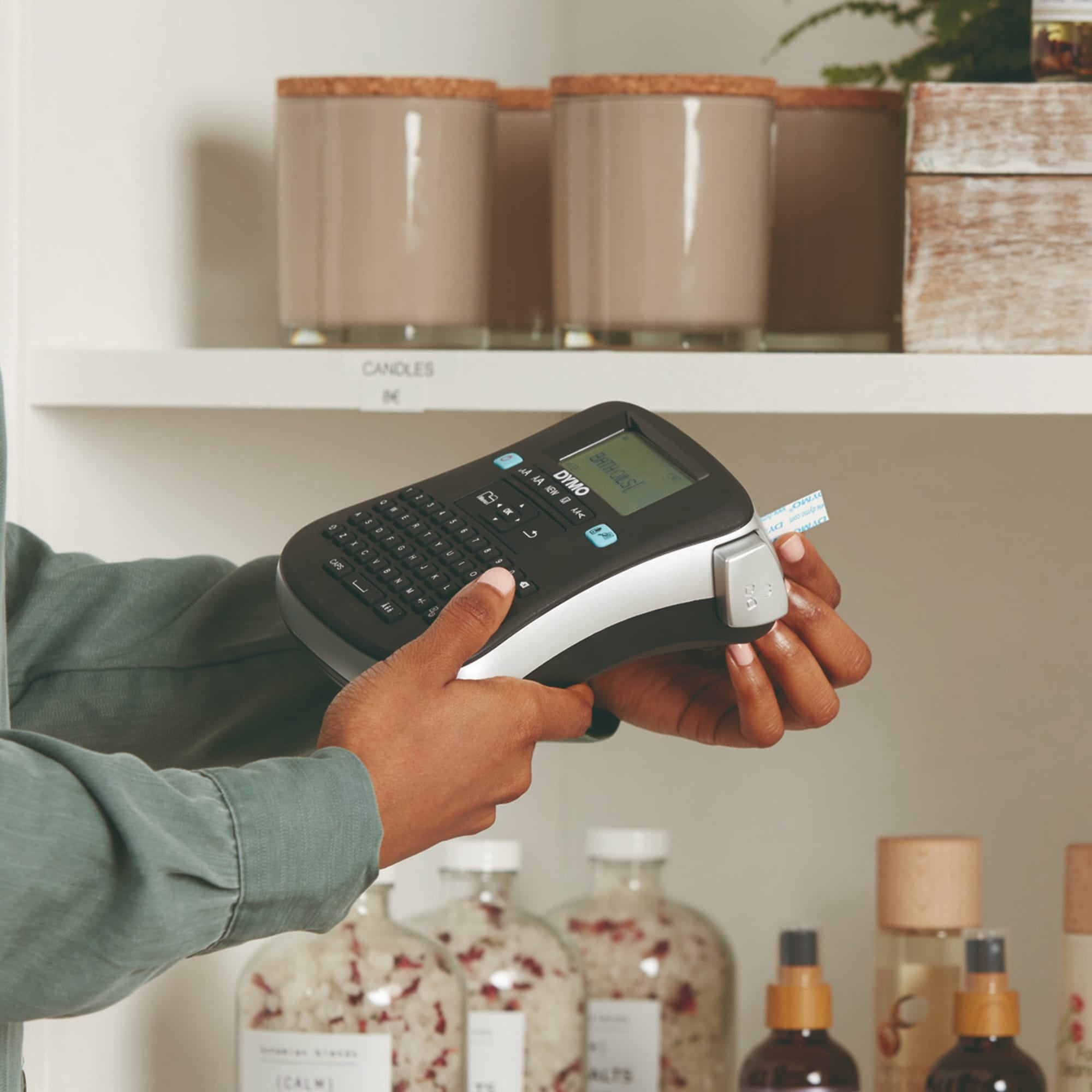
- Home organization: Label files, folders, and storage containers
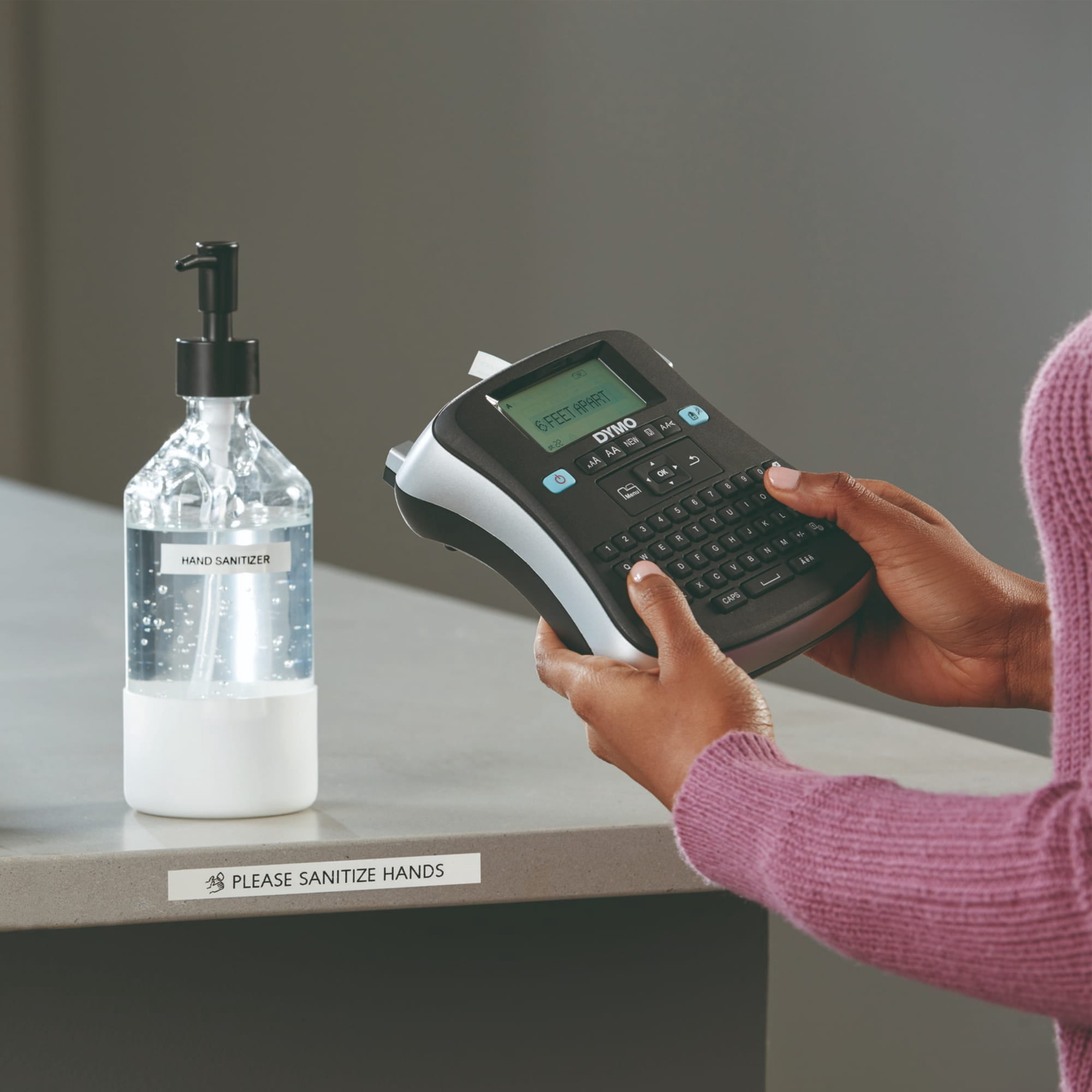
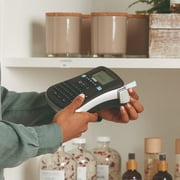
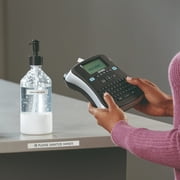
- Office labeling: Identify equipment, shelves, and cables
- Retail settings: Create professional price tags and product labels
- Crafts and DIY projects: Add personalized labels to handmade items
- Educational purposes: Label textbooks, school supplies, and storage bins
Usage Scenarios
- Brother P-touch Label Maker
- Epson LabelWorks LW-300 Label Maker
Some User Review
- I have been using the DYMO LabelManager 210D for my home office and it has been a game-changer. The large display makes it easy to see exactly how the label will look before printing, and the customization options allow me to create professional-looking labels. Highly recommended!
- The thermal transfer printing feature is a huge plus. I no longer have to worry about running out of ribbons or toners. The label maker is also very portable and runs on batteries, which is great for on-the-go labeling. Love it!
- Compared to other label makers I've used in the past, the DYMO LabelManager 210D is by far the easiest to use. The quick-access buttons make it simple to add symbols and the Qwerty keyboard feels intuitive. Overall, I'm extremely satisfied with this product.
Competitors
- The DYMO LabelManager 210D is competitively priced compared to its competitors such as the Brother P-touch Label Maker and Epson LabelWorks LW-300 Label Maker. It offers similar features and functionality at a comparable cost. While the exact prices may vary, the LabelManager 210D provides excellent value for its price range.
Buying Considerations
- Consider your labeling needs: Make sure the LabelManager 210D offers the right label widths for your specific requirements.
- Evaluate customization options: If you require a wide range of font sizes, styles, and boxes, ensure that the LabelManager 210D meets your expectations.
- Battery or adapter preference: Decide if you prefer a label maker that runs on batteries or one that can be powered by an AC adapter.
- Compare with competitors: Take a look at other label makers on the market, such as the Brother P-touch Label Maker and Epson LabelWorks LW-300 Label Maker, to see if they better suit your needs.
- Consider overall value: The DYMO LabelManager 210D offers a combination of features, ease of use, and reliability that make it a worthwhile investment for most labeling tasks.
Conclusion
In conclusion, the DYMO LabelManager Desktop Label Maker is a top choice for those seeking a versatile and user-friendly labeling solution. With its large display, customization options, and thermal transfer printing, this label maker is suitable for a wide range of applications. Whether you need to organize your home or office, create professional price tags, or personalize your crafts, the LabelManager 210D has got you covered.
Customer Questions & Answers
-
Question:
What types of labels can I print?
Answer: You can print professional-quality labels on DYMO D1 tape in 1/4, 3/8, and 1/2 widths. -
Question:
What power options are available for the LabelManager 210D?
Answer: The label maker can be powered by 6 AA batteries (sold separately) or an AC adapter (also sold separately). -
Question:
How many labels can I save and print at once?
Answer: You can save up to 9 labels and print up to 10 copies of each label at once.
DYMO Label Makers Editorial Review
The DYMO LabelManager Desktop Label Maker has received positive feedback from customers, with many praising its ease of use and versatility. The ability to change fonts, sizes, lengths, and styles gives users the option to customize their labels to suit their needs. The preview feature allows for adjustments before printing, and the option to print up to 10 copies at a time is a convenient feature. Customers have found the labels to stick well once applied to surfaces. One customer mentioned using the label maker to organize DVDs and video games, while another used it to create name tags for their coworkers. The label maker was also reported to be user-friendly and easy to understand. However, there were a couple of negative comments as well. One customer mentioned that the screen contrast is too dark, making it hard to see. Another customer noted that it would be a great product if an AC adapter was included. In conclusion, the DYMO LabelManager Desktop Label Maker is praised for its ease of use, versatility, and ability to create highly legible labels. It is recommended for organizing various items and comes with multiple customizable options. However, improvements could be made in terms of screen contrast and the inclusion of an AC adapter.
Customer Reviews & Ratings
34 customers ratings
-
5 Star
32%
-
4 Star
11%
-
3 Star
11%
-
2 Star
14%
-
1 Star
29%
Review this product
Share your thoughts with other customers
Pros
- Easy to use
- Versatile options for fonts, sizes, lengths, and styles
- Convenient preview feature
- Option to print multiple copies at a time
- Labels stick well to surfaces
Cons
- Poor screen contrast
Platform Trust & Buyer Confidence

MA
Mohammad
Verified buyer
“Excellent quality and original too,when ubuy send original things I will appreciate that ,I very satisfied thank you”
23 July 2026 · via Trustpilot
CK
Chitra
Verified buyer
“The order and delivery progress was communicated very well. Package arrived within the estimated time. Products arrived as expected in good condition.”
22-Jul-26 · via Trustpilot
K
kund
Verified buyer
“Good supply of products. Safe payment methods, and shipment worldwide! Genuine products.”
23-Jul-26 · via Trustpilot
OO
Onesi
Verified buyer
“Was my first time buying a product from Ubuy, but I found it so helpful. This is reliable. Gonna place a new order!”
22 July 2026 · via Trustpilot
SJ
SAO JOHN
Verified buyer
“Ubuy is a great online platform to buy stuff. Reliable, fast delivery time and great value for money. I've been using Ubuy online shopping platform for three years now and will continue to do so.”
23 July 2026 · via Trustpilot
Secure Checkout
Global Delivery
Easy Returns
Genuine Products
Product Price History
Important information
- Limitations : For products shipped internationally, please note that any manufacturer warranty may not be valid; manufacturer service options may not be available; product manuals, instructions, and safety warnings may not be in destination country languages; the products (and accompanying materials) may not be designed in accordance with destination country standards, specifications, and labeling requirements; and the products may not conform to destination country voltage and other electrical standards (requiring use of an adapter or converter if appropriate). The recipient is responsible for assuring that the product can be lawfully imported to the destination country. When ordering from Ubuy or its affiliates, the recipient is the importer of record and must comply with all laws and regulations of the destination country.
- Not all the products listed on Ubuy are for sale, as Ubuy is a global search engine. Products are subject to export/trade regulations.
OMR 46
Order now and get it around Sunday, August 30
This item is not restrict in my country.(Please click on above link if this item is not restrict in your country, So our team will review and allow.)
QTY:
Only 1 item left in stock.
Secured transaction
PCI DSS compliant and ISO 27001:2022 certified, with encrypted payments and full buyer protection on every order.
Our Top Logistics Partners
Fastest cross-border delivery
Features & Benefits
- Large semi-graphical display shows exact label output.
- Print labels with 6 font sizes, 7 styles, and 8 box options.
- Print up to 10 copies of any label quickly.
- Compatible with DYMO D1 labels in multiple widths.
- Requires no ribbons or cartridges with thermal transfer printing.
- Includes quick-access buttons for punctuation and currency symbols.
Ubuy Assurance
Experience worry-free shopping with 100% original products, PCI DSS-compliant payment security, ISO 27001-certified data protection, the fastest cross-border delivery, free returns *, and secure packaging on every order.