- Home Page /
- Books /
- Computers & Technology /
- Software /
- Enterprise Applications /
- Business Intelligence Tools /
- Learn Excel 2021 Expert Skills with The Smart...



Item #:
52148033
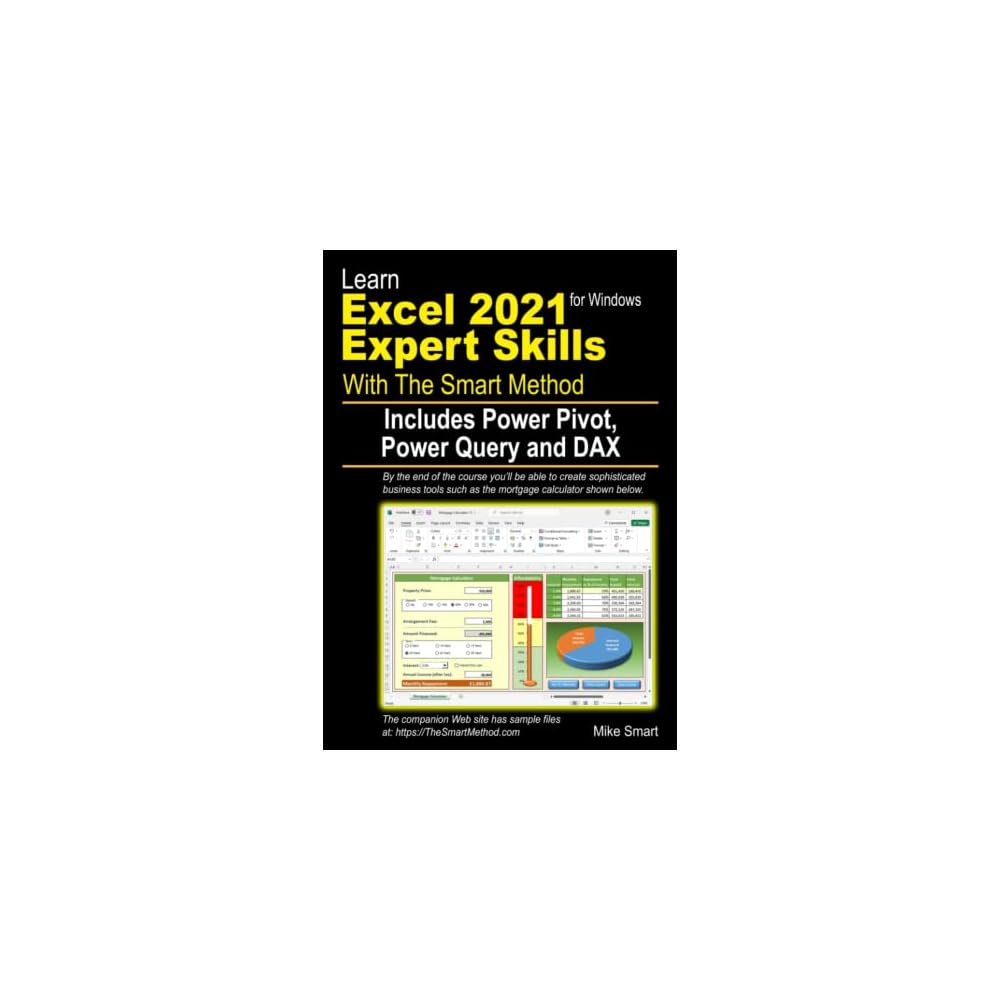
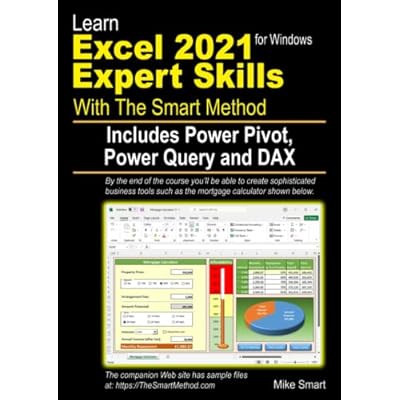
Learn Excel 2021 Expert Skills with The Smart Method: Includes Power Pivot, Power Query and DAX
Item #:
52148033
OMR 17
Price Details
Excluding Shipping & Custom charges ( Shipping and custom charges will be calculated on checkout )
*All items will import from US
In stock
 Imported from USA store
QTY:
Order now and get it around Wednesday, June 24
Secured transaction
Ubuy works hard to protect your security and privacy. Our advanced payment security system ensures confidentiality by encrypting your information during transmission using AES (Advanced Encryption Standards) and SSL (Secure Socket Layer) protocols. Your payment details are 100% secure as we do not share your payment details with third party sellers.
Our Top Logistics Partners


Learn Excel 2021 Expert Skills with The Smart Method: Includes Power Pivot, Power Query and DAX

Fast
Shipping

Free
Return*

Secure Packaging

100% Original Products

PCI DSS Compliance

ISO 27001 Certified


Note: Step Down Voltage Transformer required for using electronics products of US store (110-120). Recommended power converters Buy Now.


What Stands Out
Expert Skills Training
This course equips learners with expert-level Excel skills, specifically in Excel 2021, ensuring users become proficient in advanced data analysis and manipulation techniques.
Smart Learning Method
Utilizing a structured approach, the smart method enhances retention and application of complex concepts like Power Pivot, Power Query, and DAX, making learning efficient and effective.
Comprehensive Content
The program covers essential tools and techniques for data analytics, empowering users to tackle real-world business challenges and improve decision-making processes with advanced Excel functionalities.
Product Details
- Covers important new Excel 2021 features such as Dynamic Arrays and new dynamic array functions
- Thorough coverage of Power Pivot, Power Query, and DAX in separate dedicated sessions
- Teaches Excel to an extremely high expert level of competence
- Fastest way to master expert skills with self-contained lessons
- Doesn't waste time teaching basic Excel 2021 skills, assumes prior knowledge
- Thorough coverage of data modeling and relational database skills
| Publisher | The Smart Method Ltd |
| Publication date | February 2, 2022 |
| Language | English |
| Print length | 641 pages |
| ISBN-10 | 1909253529 |
| ISBN-13 | 978-1909253520 |
| Item Weight | 4.09 pounds (1.86 kg) |
| Dimensions | 8.27 x 1.45 x 11.69 inches (21 x 3.7 x 29.7 cm) |
Who Should Buy?

-
Data Analysts
Analysts looking to elevate their data manipulation and reporting skills will benefit greatly from advanced Excel techniques.
-
Business Professionals
Professionals needing to enhance productivity and automate reporting processes using Excel's powerful features will find this resource invaluable.
-
Students
Students studying business or data-related fields will gain essential skills that are highly valuable in the job market.

-
Complete Beginners
Those unfamiliar with basic Excel functions might struggle without foundational knowledge before tackling advanced topics presented here.
-
Occasional Users
Users who only use Excel sparingly may not find the advanced features worth the time invested in learning.
-
Non-Technical Roles
Individuals in roles that do not require data analysis or reporting may not benefit from this intensive Excel training resource.
Product Description
Have any Query? Chat with us
Customer Questions & Answers
-
Question:
What skills will I learn from Learn Excel 2021 Expert Skills with The Smart Method?
Answer: You will learn advanced Excel skills including the use of Power Pivot, Power Query, and DAX. This comprehensive approach equips you with the knowledge to manipulate data, create powerful visualizations, and perform complex calculations. Mastering these tools allows you to analyze large data sets efficiently, automate tasks, and generate insightful reports. Whether you are a business analyst, financial professional, or data enthusiast, these skills will enhance your ability to make data-driven decisions. -
Question:
Is this book suitable for beginners?
Answer: While this book is designed for those looking to enhance their Excel abilities to an expert level, having a basic understanding of Excel functions and navigation will be beneficial. The Smart Method does cover foundational concepts before diving into advanced topics like DAX and Power Query, making it manageable for motivated individuals willing to learn. For those entirely new to Excel, it might be advisable to start with beginner resources before tackling this expert-level material. -
Question:
How is this book structured to facilitate learning?
Answer: This book is structured in a clear and logical manner, with each chapter building on the previous one. It includes detailed walkthroughs, practical exercises, and comprehensive examples that promote hands-on learning. The Smart Method emphasizes understanding the why behind Excel features and functions, ensuring you don’t just memorize processes but also grasp their applications in real-world scenarios. This structured approach enables learners to progress confidently through complex topics. -
Question:
Are there any online resources or support materials included?
Answer: Yes, the book provides access to supplementary online resources such as downloadable files, exercise guides, and video tutorials. These resources enhance the learning experience, allowing you to practice your skills in a real-time environment. By utilizing these materials, you can reinforce what you've learned from the book and explore additional case studies that illustrate the practical application of Excel's powerful features. -
Question:
Who would benefit the most from this Excel course?
Answer: Professionals in roles that require data analysis, such as finance, marketing, project management, and data science, will find immense value in this book. It is also ideal for students looking to refine their Excel skills for academic or job market competitiveness. By acquiring expert-level knowledge, users can significantly improve their efficiency in tasks such as data analysis, reporting, and making strategic business decisions. -
Question:
What is the main focus of the DAX section in this book?
Answer: The DAX section focuses on teaching you how to create powerful calculations and custom aggregations within Excel and Power BI. You'll learn about the syntax, functions, and best practices for implementing DAX to analyze data over time, filter contexts, and perform more complex computations. Mastering DAX can elevate your analytical capabilities, making your reports more dynamic and insightful, tailored to specific business needs. -
Question:
Can I use the skills learned in this book in other software beyond Excel?
Answer: Absolutely! The concepts learned in this book, particularly those related to Power Query and DAX, are applicable in other data analysis and visualization tools such as Power BI. This versatility means that mastering these skills can enhance your proficiency not just in Excel, but also in comprehensive data solutions across various platforms. Users often find that their increased understanding allows them to seamlessly transition between different software tools with confidence. -
Question:
How can I apply Power Pivot effectively in my work?
Answer: Power Pivot enables you to create sophisticated data models and conduct advanced data analysis. By using Power Pivot, you can integrate data from multiple sources, define relationships between tables, and create calculated fields. This is particularly useful in situations where you need to analyze large datasets that exceed Excel's traditional limits. For instance, financial analysts could leverage Power Pivot to compile sales data from various departments, allowing for comprehensive performance evaluations in one workbook. -
Question:
Is there any prerequisite knowledge required before studying this book?
Answer: A foundational understanding of Excel, including familiarity with basic functions and formula creation, is recommended before undertaking this book. While the material includes recaps of essential concepts, the core focus is on advanced techniques. For those completely new to Excel, it could be beneficial to explore introductory resources to ensure you can keep pace with the topics covered in this expert-level guide. -
Question:
Where can I buy Learn Excel 2021 Expert Skills with The Smart Method in Oman?
Answer: You can purchase Learn Excel 2021 Expert Skills with The Smart Method on Ubuy. Ubuy offers a wide selection of books and educational resources, making it a reliable platform to find this advanced Excel learning tool. With a user-friendly interface, you can easily search for the title, and enjoy a convenient shopping experience tailored for customers in Oman.
Business Intelligence Tools Editorial Review
No editorial reviews found
Customer Reviews & Ratings
6 customers ratings
-
5 Star
100%
-
4 Star
0%
-
3 Star
0%
-
2 Star
0%
-
1 Star
0%
Review this product
Share your thoughts with other customers
Pros
- Comprehensive Excel coverage
- Clear and structured lessons
- Practical exercises included
- Great for all skill levels
- Up-to-date with latest features
Cons
- Some advanced topics may be complex.
Product Price History
Important information
- Limitations : For products shipped internationally, please note that any manufacturer warranty may not be valid; manufacturer service options may not be available; product manuals, instructions, and safety warnings may not be in destination country languages; the products (and accompanying materials) may not be designed in accordance with destination country standards, specifications, and labeling requirements; and the products may not conform to destination country voltage and other electrical standards (requiring use of an adapter or converter if appropriate). The recipient is responsible for assuring that the product can be lawfully imported to the destination country. When ordering from Ubuy or its affiliates, the recipient is the importer of record and must comply with all laws and regulations of the destination country.
- Not all the products listed on Ubuy are for sale, as Ubuy is a global search engine. Products are subject to export/trade regulations.
OMR 17
Order now and get it around Wednesday, June 24
This item is not restrict in my country.(Please click on above link if this item is not restrict in your country, So our team will review and allow.)
QTY:
Secured transaction
Ubuy works hard to protect your security and privacy. Our advanced payment security system ensures confidentiality by encrypting your information during transmission using AES (Advanced Encryption Standards) and SSL (Secure Socket Layer) protocols. Your payment details are 100% secure as we do not share your payment details with third party sellers.
Our Top Logistics Partners
Fastest cross-border delivery
Features & Benefits
- Covers important new Excel 2021 features
- Thorough coverage of Power Pivot, Power Query and DAX
- Teaches true Expert level Excel skills
- Fastest possible way to master Expert skills
- Doesn't waste time on teaching basic Excel 2021 skills
- Thorough coverage of data modeling
- Written in plain English